CortexForge Keystone
Showcase Division

Screens shown are illustrative views from demonstration systems.
Clinical Intelligence
StillMind
Keeps sessions, check-ins, notes, and review records in one calm place — so clinical continuity doesn’t split across notebooks, scattered drafts, or after-the-fact memory fixes. Everything stays tied to the client, tied to the moment, and readable by the people responsible for care.
Choose Your Clinical Space

Therapist
Enter the therapist space to see today’s schedule, session context, and note status in one place.

Supervisor
Enter the supervisor space to review scheduling and scan continuity across days.
StillMind
Therapist
A calm clinical workspace for running sessions and capturing notes without friction. Appointments stay ordered, check-ins stay simple, and documentation moves through clear states so nothing needs to be reconstructed later.
Right Now
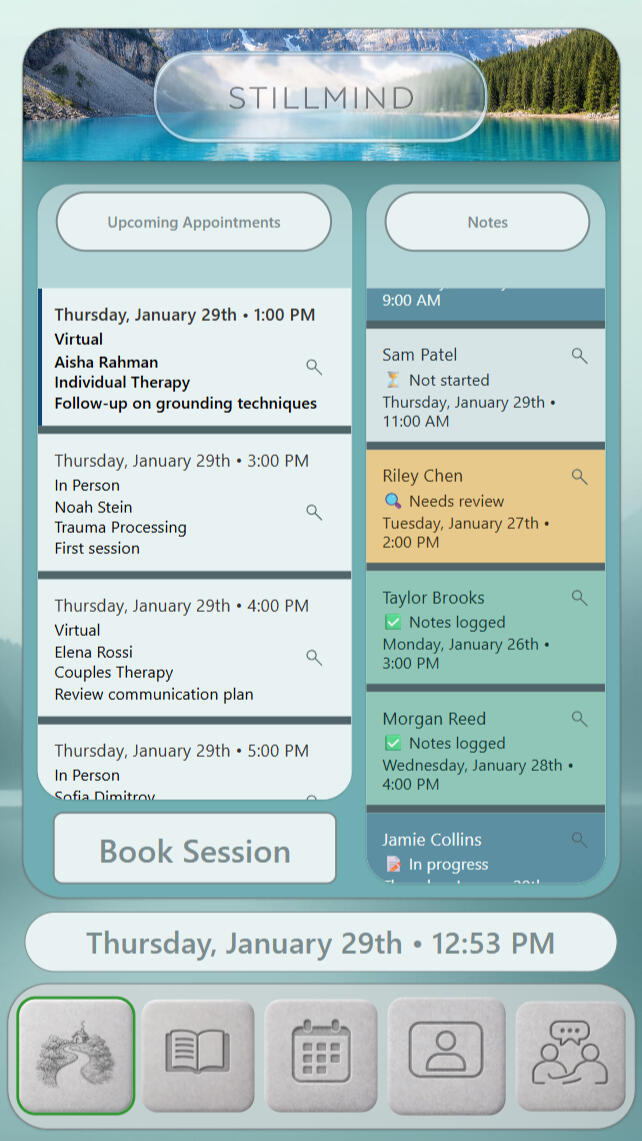
Therapist Home
A single dashboard for the full clinical day. Appointments remain ordered by time with client, modality, and focus visible at a glance, while documentation is tracked separately through clear note states so the therapist can complete notes without scrambling or rebuilding the day from memory.
Full Record
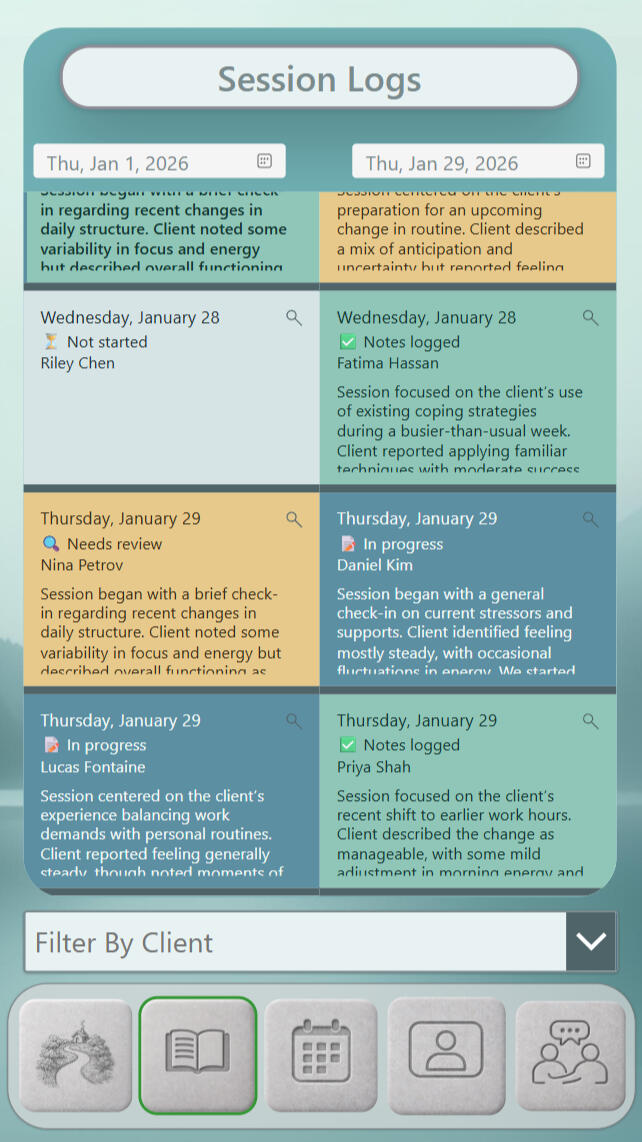
Session Logs
This is the working archive: sessions don’t vanish when the day ends. Notes stay grouped by date and client, each carrying a visible documentation status and a preview so therapists can return to unfinished work, revisit context, or spot gaps without opening full entries or losing their place.
See the Day
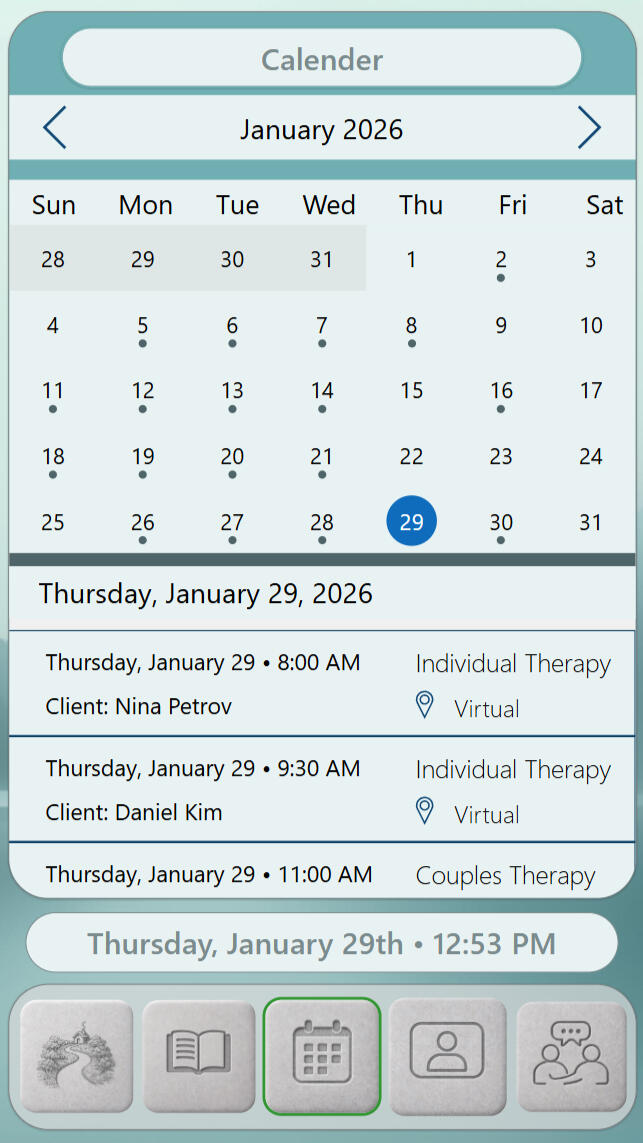
Calendar
A month-level view that collapses cleanly into the day. Session activity is indicated without clutter, and selecting a date unfolds an ordered appointment list that matches real scheduling flow—time, client, therapy type, and modality kept together so preparation happens quickly and accurately.
Begin Here
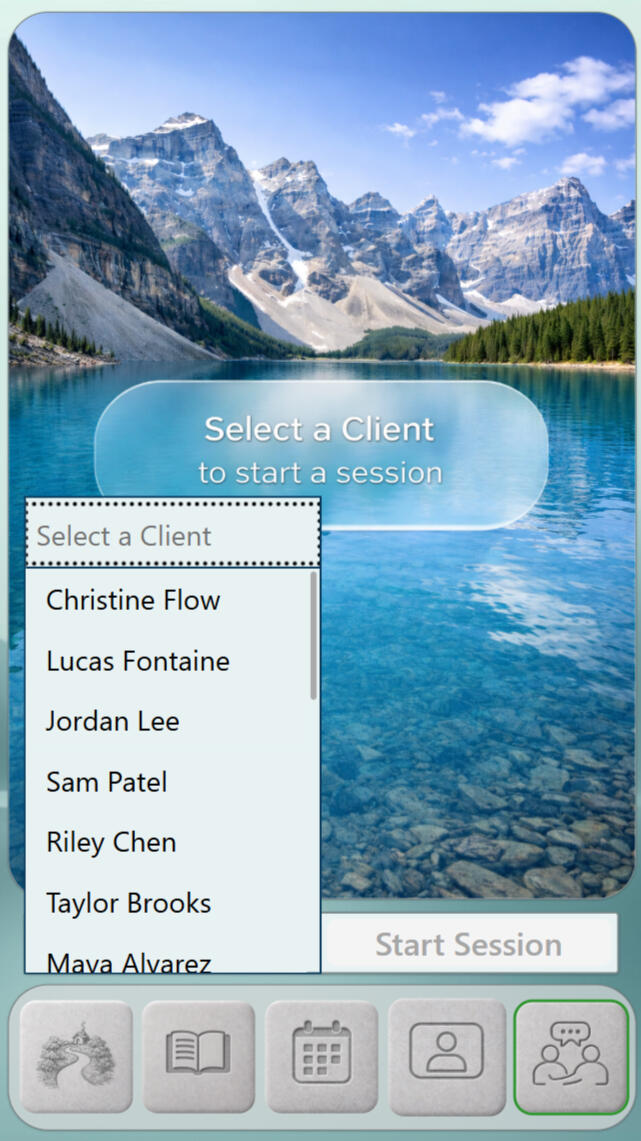
Start Session
A deliberate threshold into live work. The screen asks for one concrete choice—selecting the client—before proceeding, creating a clean transition from scheduling into care and reducing the chance of starting the wrong session or carrying the wrong context forward.
Choose the Moment
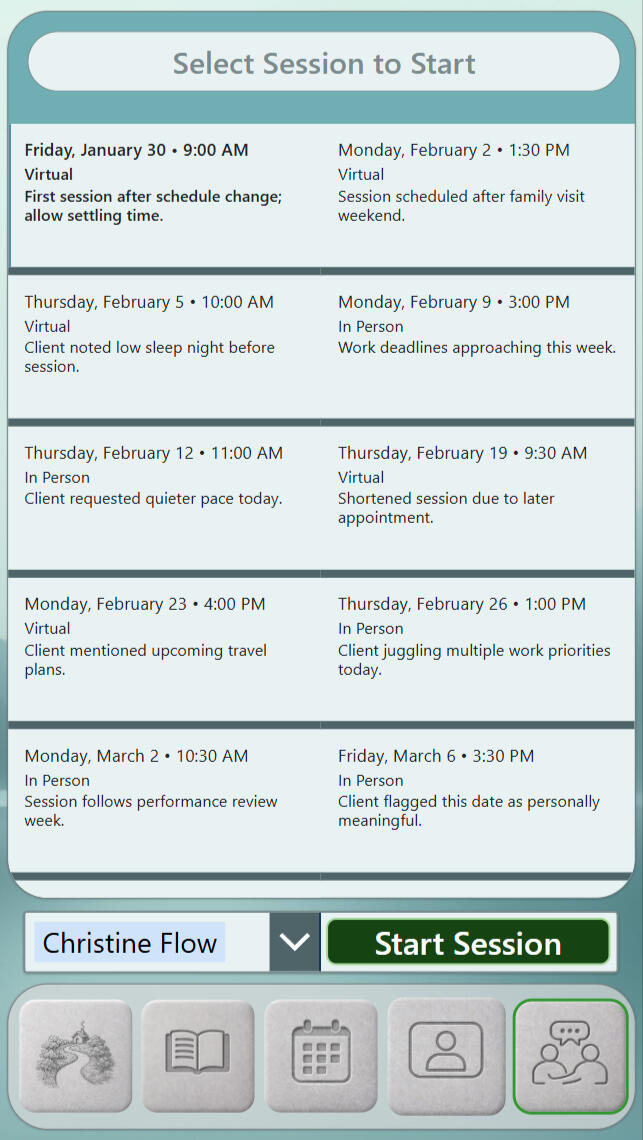
Select Session to Start
This screen clarifies which scheduled session is being entered before anything clinical begins. Appointments are shown as discrete cards with time, modality, and brief orientation notes, and the explicit start control confirms the exact session—keeping entry intentional and preventing “wrong slot / wrong context” errors.
Current State
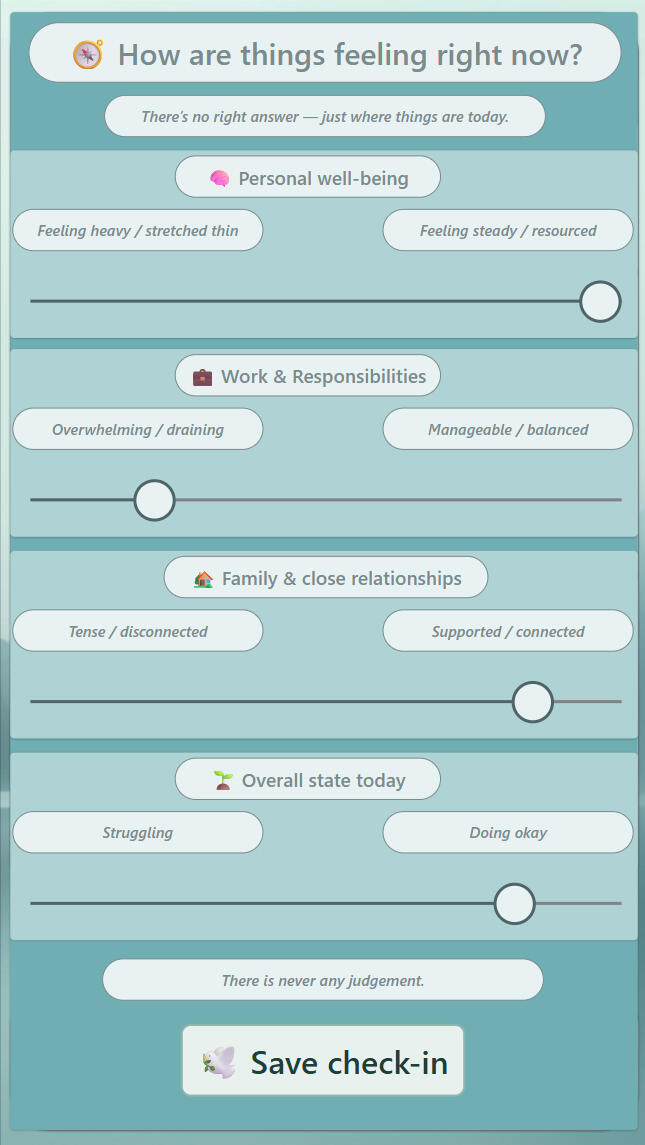
Check In
A quick, non-performative way to capture “where I am today.” Sliders translate internal state into signals across wellbeing, work load, relationships, and overall mood without forcing explanation, and the saved check-in becomes a stable reference point the therapist can revisit within session context.
Hold the Thread
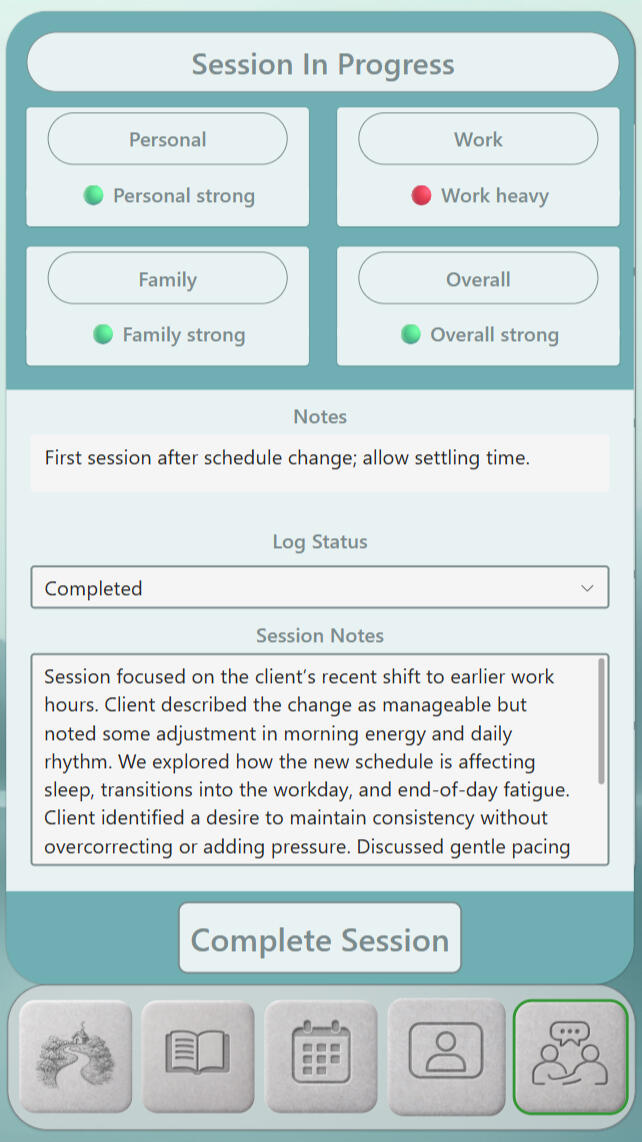
Session In Progress
This screen holds the session while it’s happening—quick state signals at the top, narrative capture below. Log Status and the Session Notes field carry documentation forward in real time, and the “Complete Session” control provides an explicit closure point so the record ends deliberately—not by drift.

Material Intelligence
Stillwater Containment
Flat alpine water and distant horizon slow visual scanning and reduce cognitive urgency. Depth is present without motion cues, allowing attention to settle rather than drift. The result is stillness + orientation — giving systems a calm surface that holds focus without stimulation.
StillMind
Supervisor
A composed oversight space for reviewing session logs with context intact. Review status, therapist attribution, and timelines stay visible so supervision stays paced, clear, and defensible.
Awaiting Review
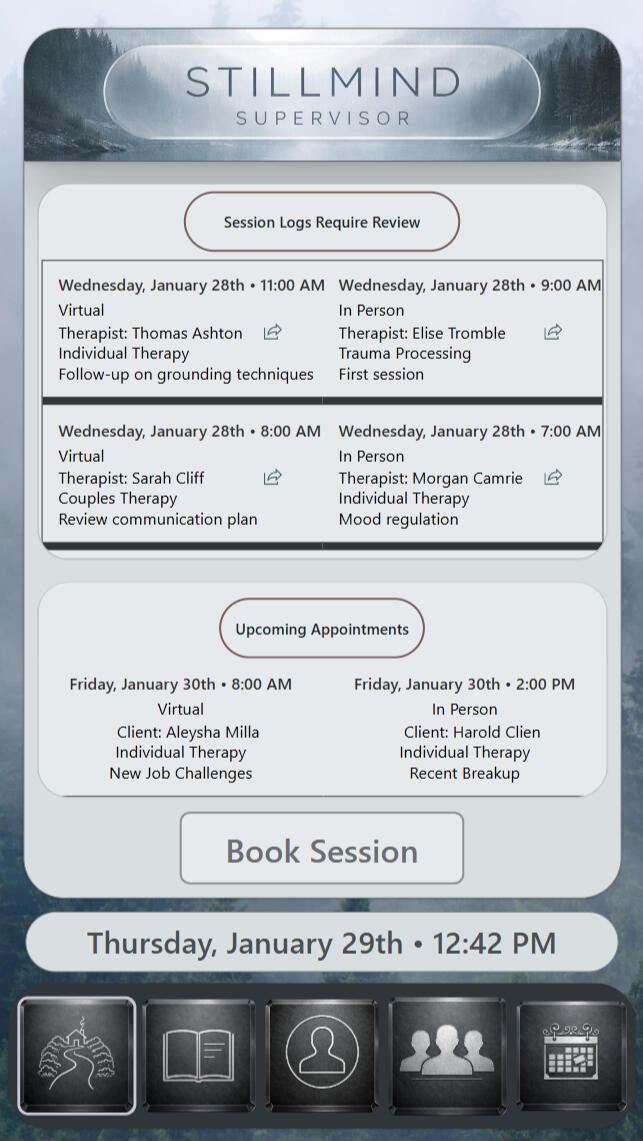
Supervisor Overview
A clear starting surface for clinical oversight. Items awaiting review are surfaced with therapist attribution, modality, and session focus intact, while upcoming appointments remain visible as time context—not a distraction—so supervision stays organized around continuity, accountability, and paced review.
Continuity Stream
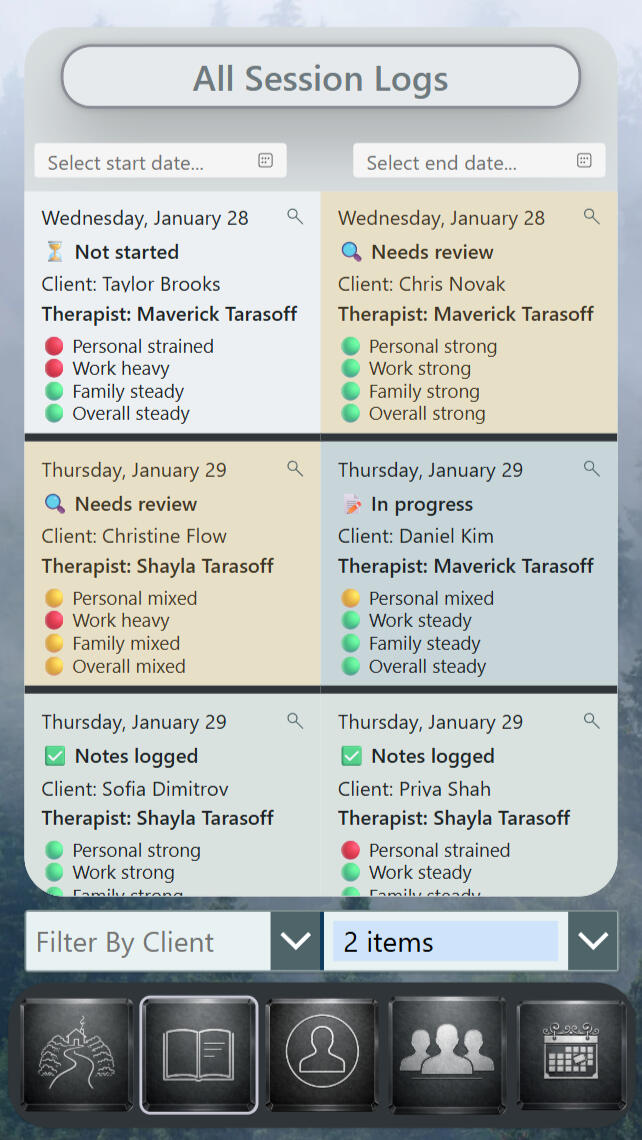
All Session Logs
The full record is presented as a readable stream rather than a pile of opens. Status labels make review stage visible without opening entries, therapist attribution stays attached to every record, and date filters define a precise window—supporting prioritization while keeping oversight tied to what actually occurred.
Time Anchored
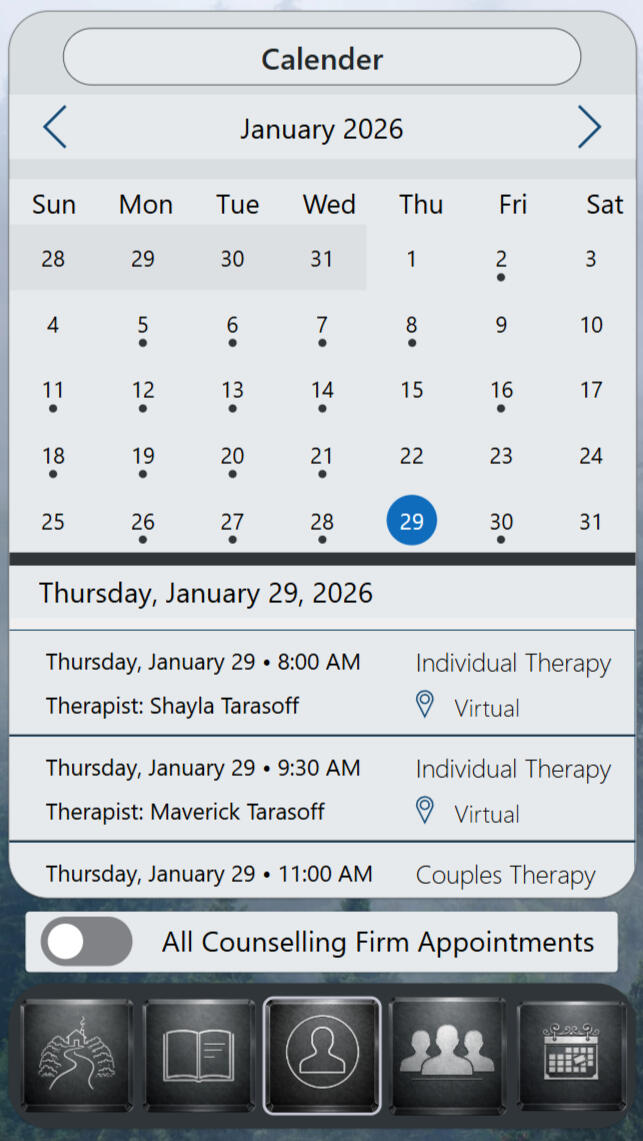
Calendar
A scheduling view designed for capacity awareness. The month shows where session volume lives, and selecting a day reveals appointments in sequence with therapist, modality, and delivery format preserved—so staffing and coverage decisions can be made from the calendar itself, without chasing details elsewhere.
Private Scope
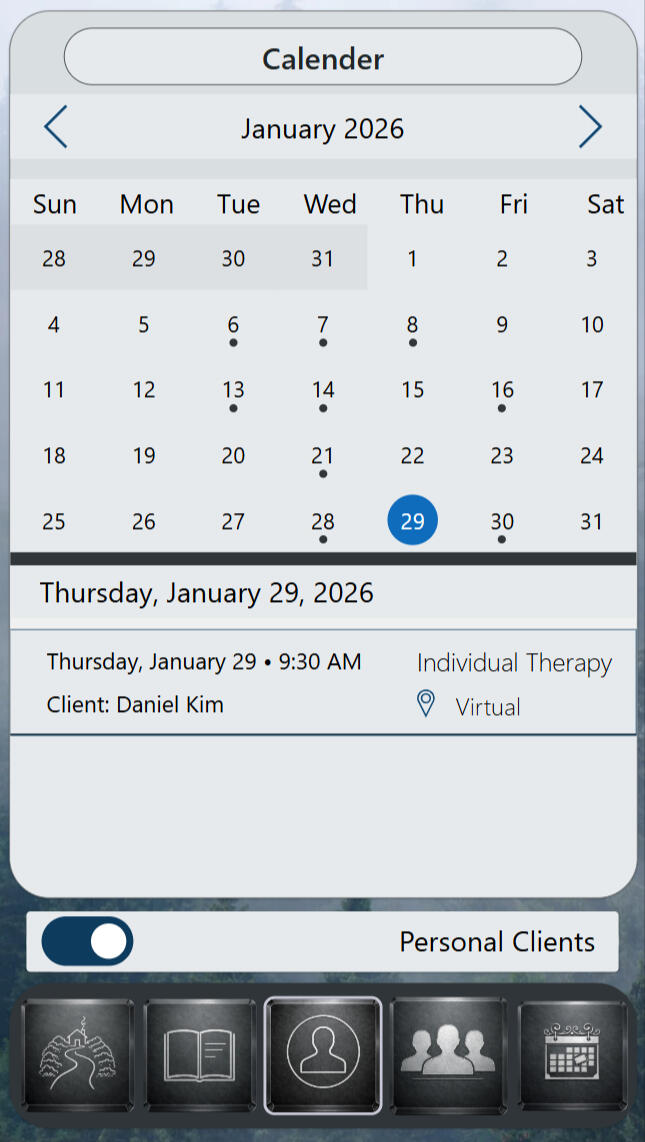
Personal Calendar
A scoped calendar for direct responsibility. Filtering to personal clients removes firm-wide noise while keeping the month’s rhythm intact, and the selected-day list surfaces only the sessions that belong to the supervisor—supporting preparation and presence without divided oversight.
Session Threshold
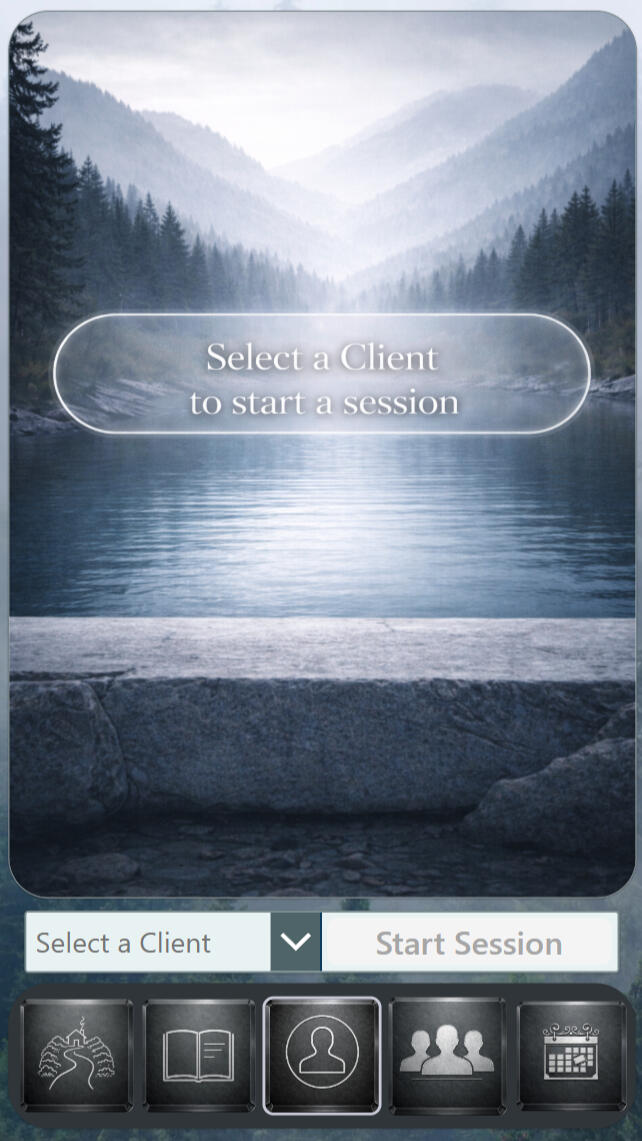
Start Session
A gated entry that prevents accidental starts. The start action remains unavailable until a client is selected, creating a deliberate pause that protects attribution and context—so supervisory sessions begin with the right person and the right frame already aligned.

Material Intelligence
Luminous Basin Boundary
Clear water is framed by a soft light boundary that defines a perceptual container rather than a scene. The glow marks a safe visual edge, keeping attention centered and preventing narrative projection. The result is containment + calm clarity — giving systems a stable emotional field without activation.
Demos
Axis
WayMark
Citadel Matrix
Treasury Vault
ForgeLine
EmberTrack
Atlas Crucible
WatchCore
StillMind
Full CortexForge system demonstrations are available through consultation.
Performance Intelligence
Kinetic Prime
Kinetic Prime is a progression engine for structured training — built to coordinate planning and execution.
It transforms discipline into measurable advancement.
Daily Momentum
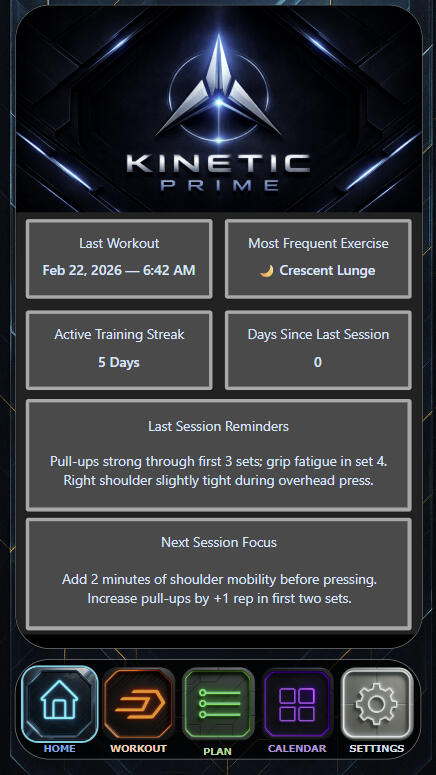
Performance Dashboard
A consolidated view of structured training activity. It captures recent output, recurring movement patterns, streak continuity, and session notes — transforming daily effort into performance intelligence.
Movement Library
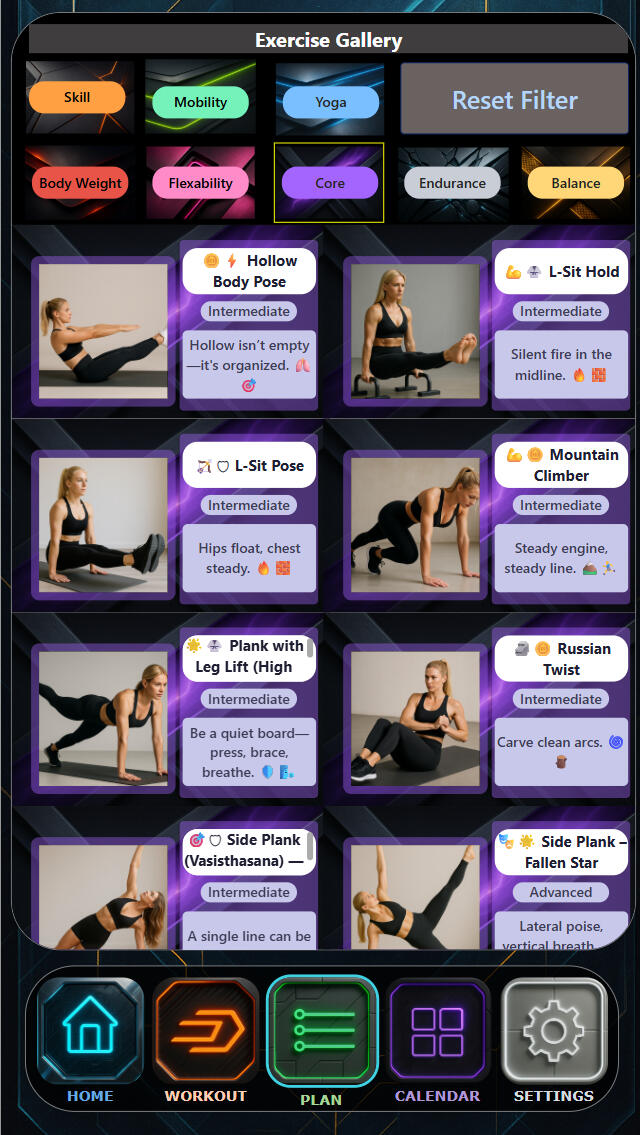
Exercise Gallery
A disciplined catalogue of physical competencies. It enables precise filtering by focus — allowing sessions to be assembled deliberately, not improvised. Every movement exists within a structured system of progression.
Live Execution
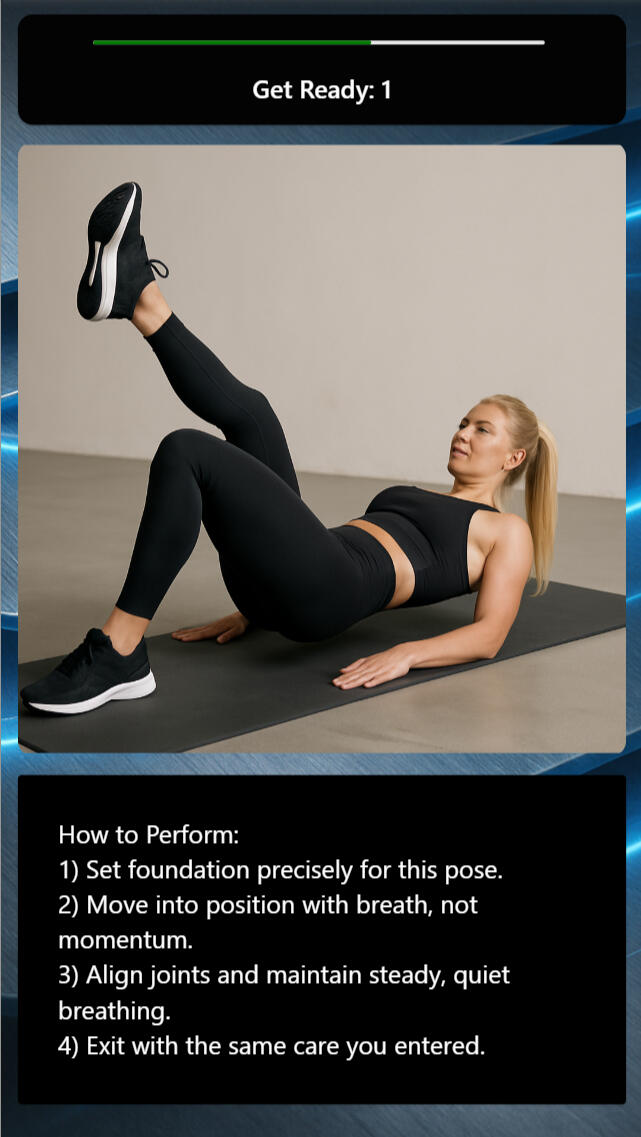
Active Session
This screen guides movement in real time. It provides visual reference, controlled countdown pacing, and precise execution cues — ensuring each repetition is deliberate, aligned, and technically sound.
Movement Analysis
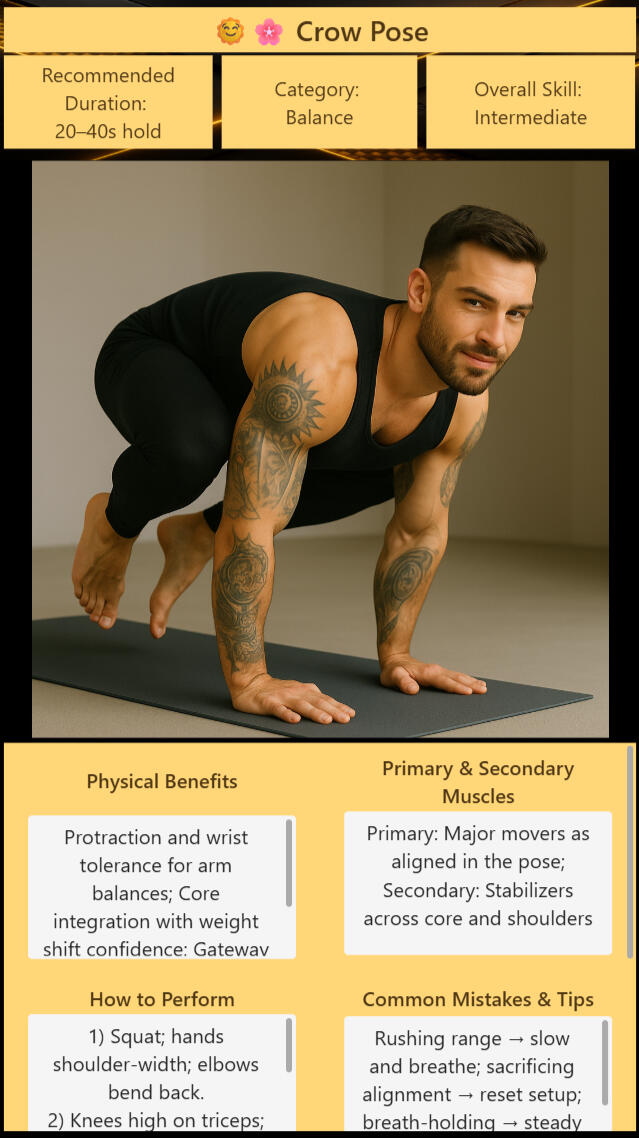
Exercise Profile
A comprehensive breakdown of a single movement. It defines duration standards, skill classification, muscular engagement, physical benefits, execution protocol, and common errors — providing the structural context required for safe, progressive mastery.
Training Continuity
Performance Calendar
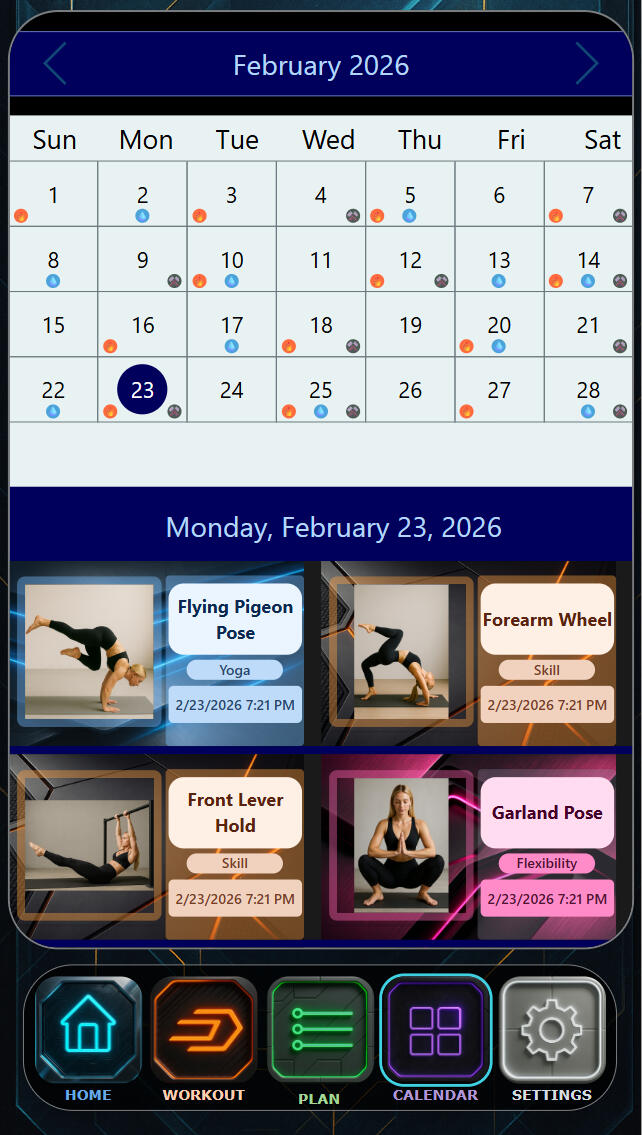
A chronological record of structured sessions. It preserves frequency, movement selection, and session history — making discipline measurable over time.

Material Intelligence
Orbital Aegis
Kinetic Prime operates within the Orbital Aegis — a dark central plane absorbs distraction while illuminated edge vectors signal propulsion and direction.
The environment communicates focus, momentum, and structural integrity — reinforcing execution under pressure.
Medical Intelligence
Axis
Axis is a medical intelligence system — built for lived experience. It captures daily physical, emotional, and cognitive states and preserves them as a continuous record.
Intelligence Dashboard
Health Snapshot
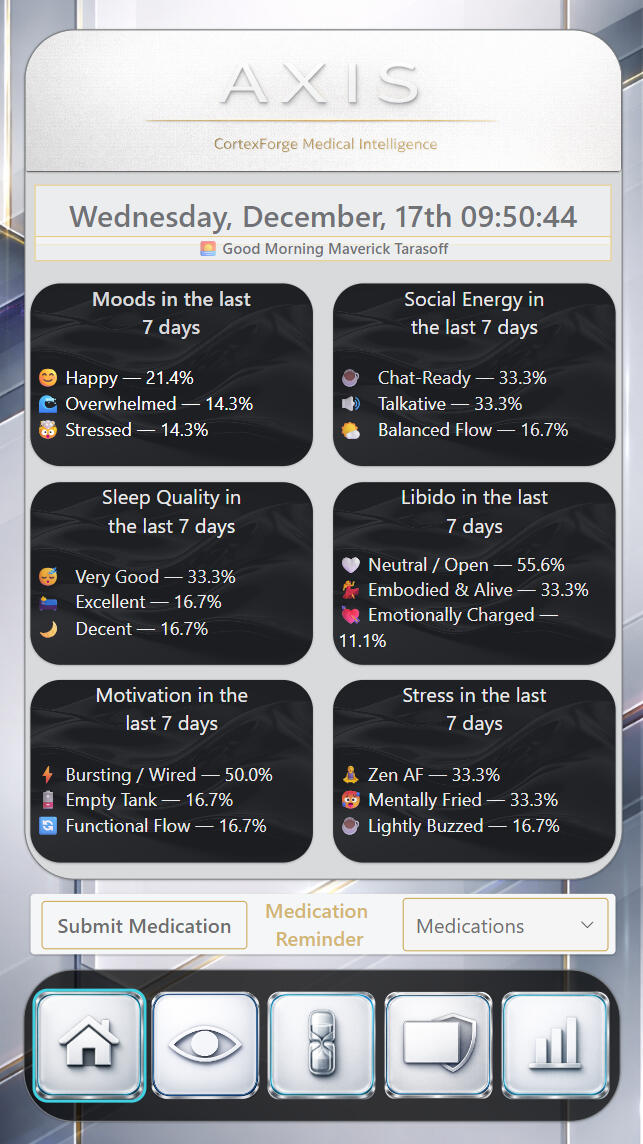
Axis translates past entries into simple visual summaries.
These views are designed for reflection, not analysis — helping users notice trends, shifts, and cycles without overwhelming detail.Patterns surface quietly, at the user’s pace.
Simple Navigation
Health Centre
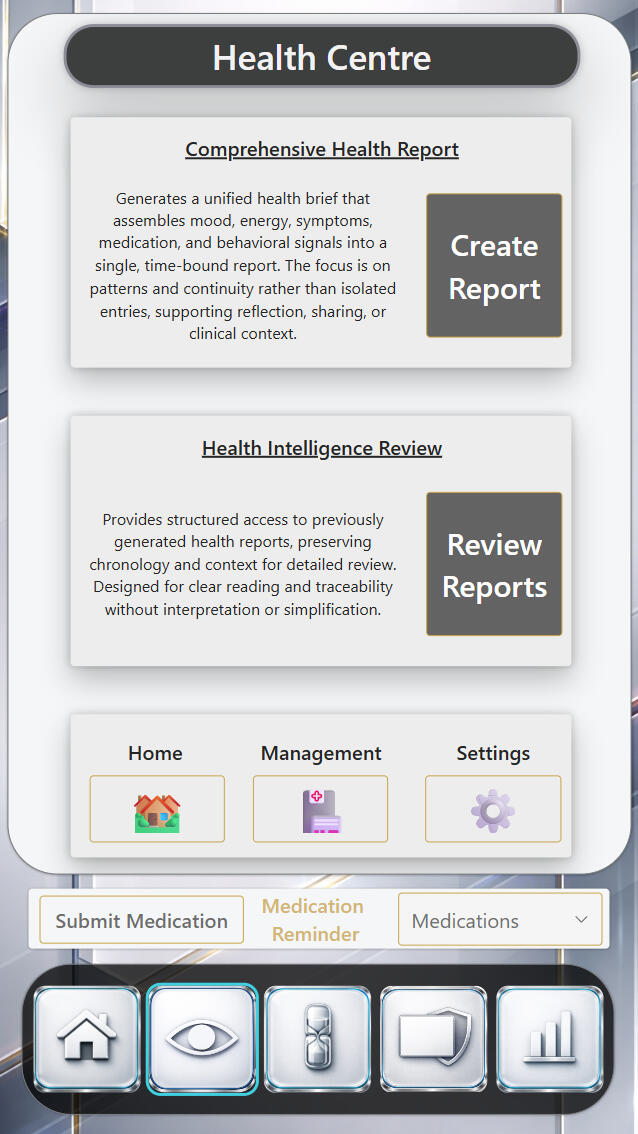
The Health Centre is a centralized navigation space that gives users a clear starting point for reviewing, generating, and managing their health data. It acts as the hub between active reporting and historical review, allowing users to move between summaries, reports, and system settings without friction.
Automated Awareness
Medication Tracking + Reminders
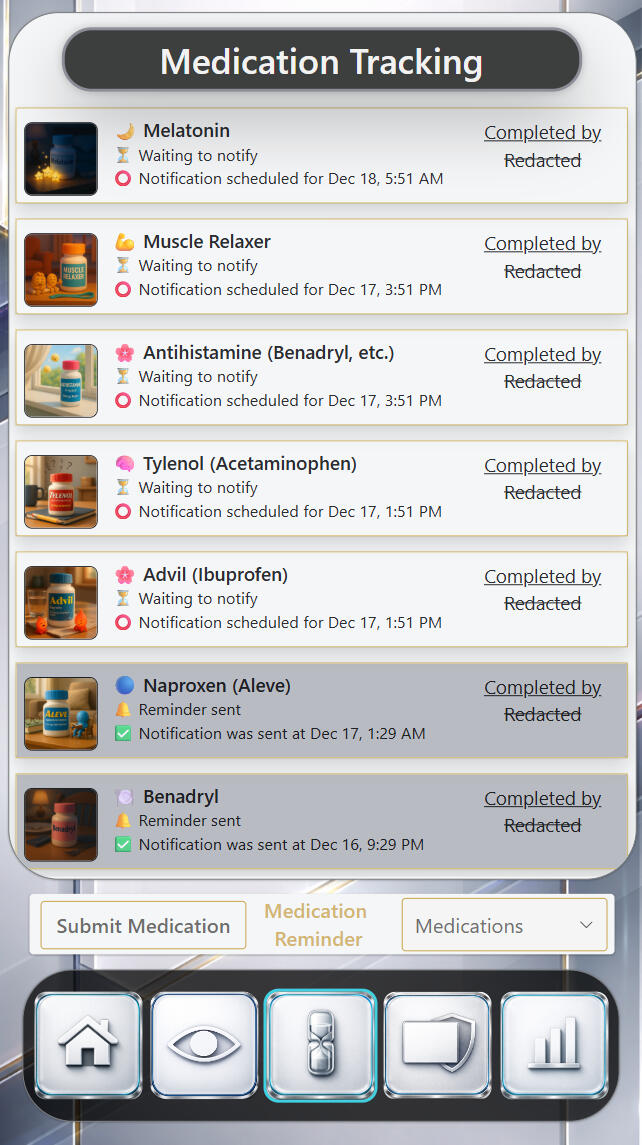
The Medication Tracking screen provides a clear, chronological view of active and completed medication reminders. It allows users to quickly see what medications are pending, which reminders have been sent, and when notifications are scheduled or completed.

Narrative-Ready Reporting
Report Presenter
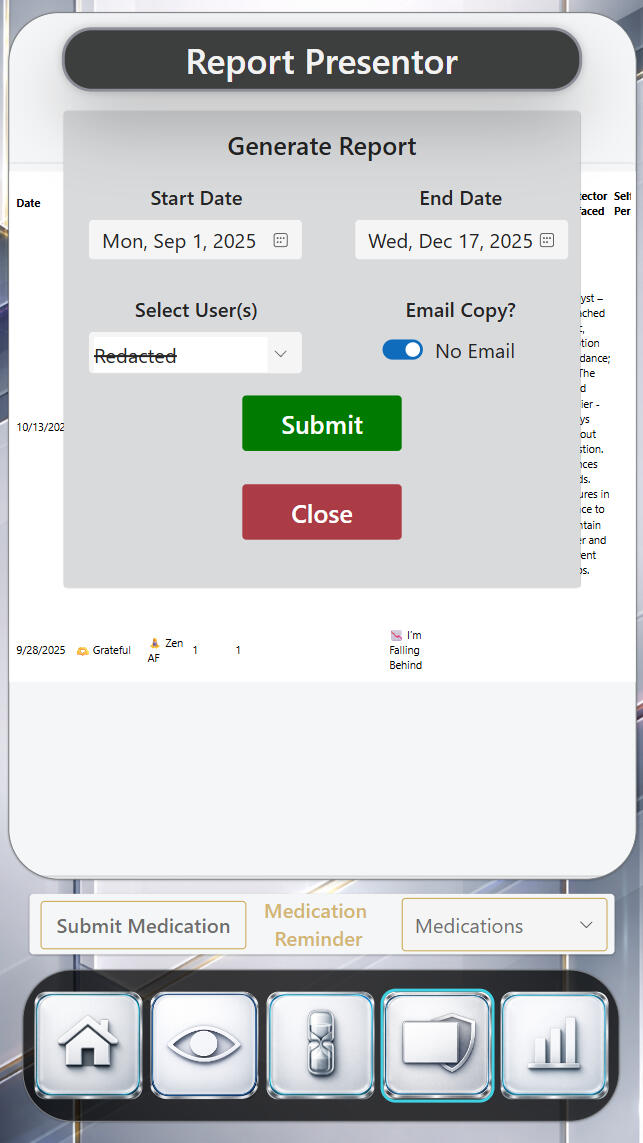
The Report Presenter is a focused control surface for generating structured health summaries over a selected time range. It allows users to define scope (dates and user), choose delivery preferences, and produce a consolidated report inside the app without navigating away.
Trend Visualization
Health Review
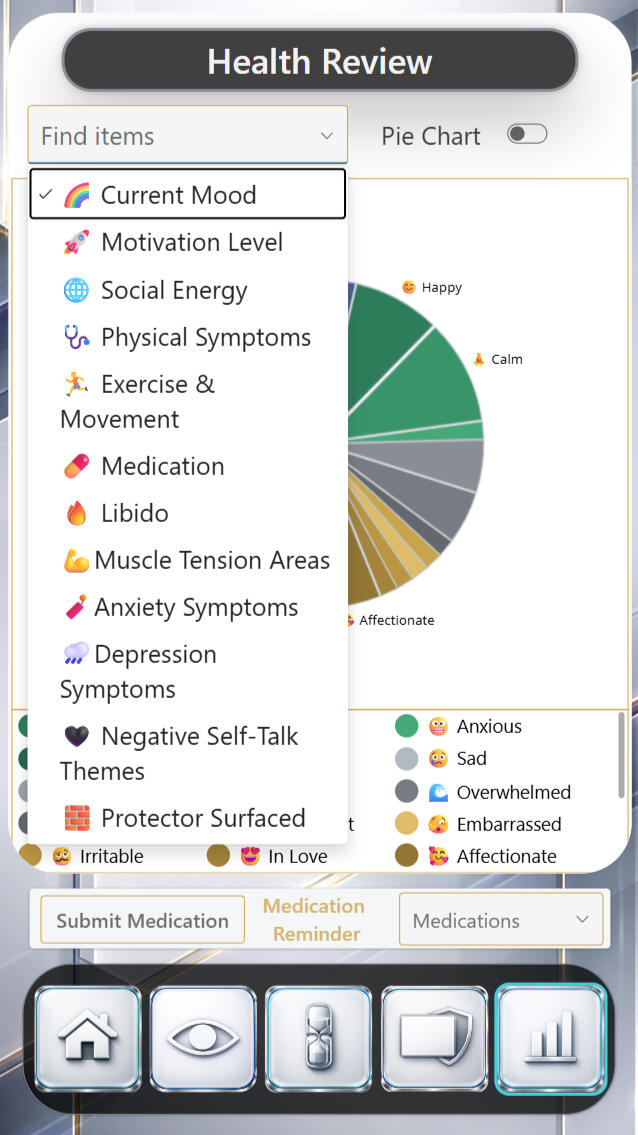
The Health Review screen is an exploratory analysis space that lets users examine patterns across different dimensions of their health data. It allows quick switching between categories—such as mood, symptoms, energy, or behavior—without leaving the context of the review.
Pattern Synthesis
Intelligence Review
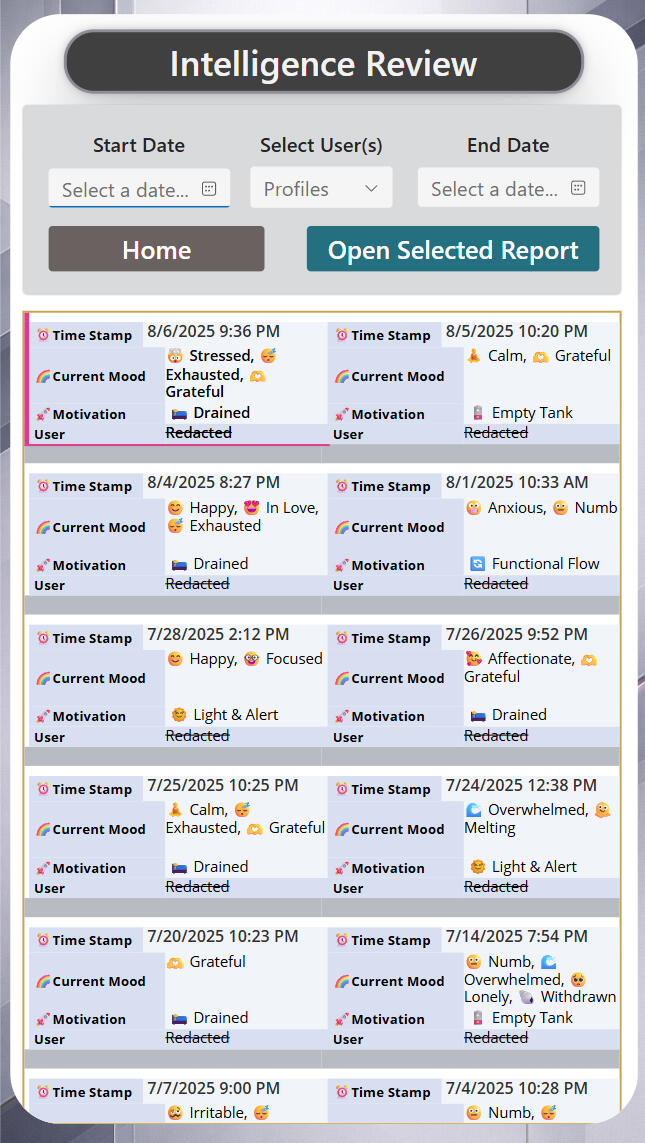
The Intelligence Review is a chronological reading surface that presents individual health entries as discrete, time-stamped records. It allows users to scan past states quickly while preserving the original context of each entry—who logged it, when it occurred, and what was present at that moment.
Health Capture
Daily Entry
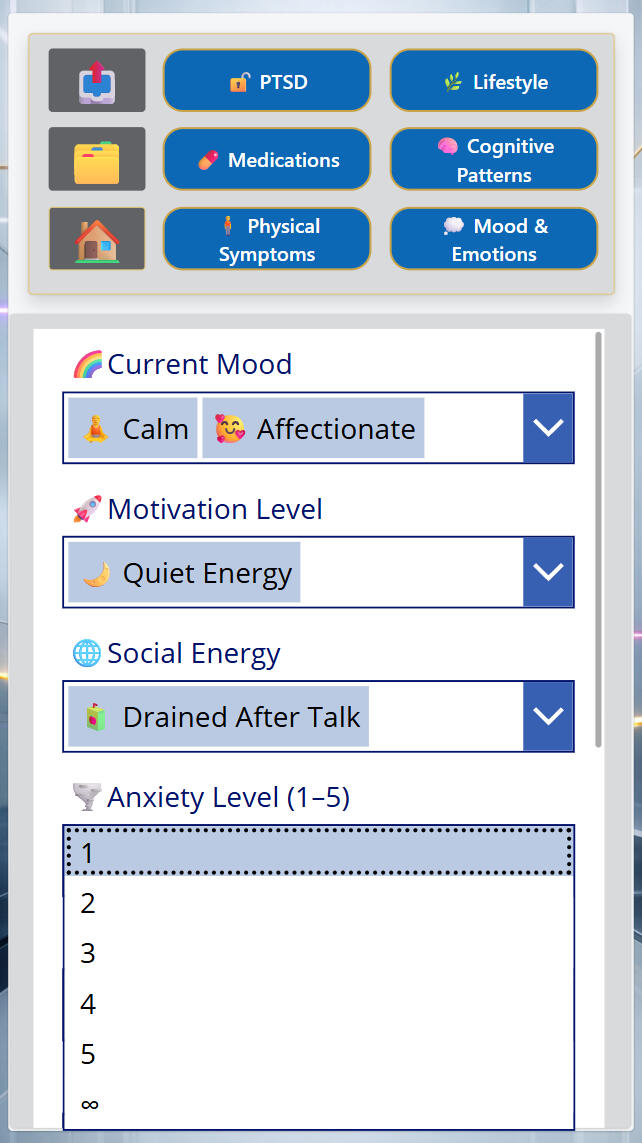
The Daily Entry screen is a focused capture space designed for quick, low-friction reflection. It allows users to log their current internal state in a structured but human-readable way.
Material Intelligence
Clinical Glasswork
Axis uses a clinical glass material language — soft, neutral, and structured — designed to hold personal data without distortion, judgment, or pressure. It emphasizes continuity, safety, and clarity over performance or interpretation.
CortexForge Divisions
Systems Division
Where operations are unified, data becomes continuity,
and complexity is engineered into clarity.
Stewardship Division
Stewardship Division — horizon.cortexforge.ca
Ensuring systems remain trusted
as time, scale, and intelligence evolve.
Ethics Division
Ethics Division — oracle.cortexforge.ca
The human boundary layer for intelligent systems.
Protecting judgment, dignity, and accountability
as automation scales.
Executive Division
Executive Division — apex.cortexforge.ca
The command layer uniting insight,
integrity, and foresight.
Where decisions become infrastructure.
Foundations Division
Foundations Division — collective.cortexforge.ca
Practical tools, connected systems, and design clarity for schools and community organizations.
Intelligence Division
Intelligence Division — strategy.cortexforge.ca
Strategic doctrine, design philosophy, and expanded enterprise-grade solutions.
Applied Field Division
Applied Field Division — operations.cortexforge.ca
Field-ready solutions for high-risk environments.
Imagination Division
Imagination Division — marketing.cortexforge.ca
Creative communications, narrative design, and public interface systems.
Minds Behind CortexForge

Shayla Tarasoff
Vice President
I specialize in trauma-informed behavioral systems shaped by nearly a decade in frontline care. Trained in psychology, crisis intervention, and harm reduction, I ensure every system we build prioritizes safety, trust, and human impact.

Maverick Tarasoff
President
I design AI-powered systems that replace legacy tools and scale across institutions—built on Microsoft Power Platform. A decade in high-risk security environments shaped how I design: clarity under pressure, operational integrity, and systems that hold when things break.
A division of CortexForge Consulting Inc. — Where intelligence, imagination, systems, and field operations converge.